Indian Typing Tools is a free browser hub for typing test and language typing, Indian language typing, typing tests, speech typing, and Hindi font conversion. Choose a tool, open it, and use the on-page widget without login, upload, or backend processing. We keep real translation and OCR separate because those need API-backed quality checks.
By Indian Typing Tools editorial team. Last verified: May 27, 2026. We tested this page with its sample input, primary action, copy flow, download flow, and mobile layout before publishing.
Choose the typing tool that matches your task from the tool grid.
Open the page and use the visible widget before reading the support notes.
Run the typing test, language converter, speech tool, or font bridge in the browser.
Copy or download the result when the page offers an output box.
Use the related links when you need a nearby tool such as a language page or typing test.
Our test workflow is simple: use the visible widget first, verify the result, copy it, download it where available, and then use the related links if the task changes. That keeps the page focused on the real indian typing tools job instead of making users read a long article before the tool appears.
Indian typing tools output behavior and examples
The hub output is navigation: each card opens a specific browser utility page. We keep the tool grid above the support article because users searching for Indian typing tools usually want to start a task immediately.
tool choice
typing result
Odia typing
Open the English to Odia typing tool
Kannada typing online
Open Kannada phonetic typing
Typing speed test
Start a WPM and accuracy test
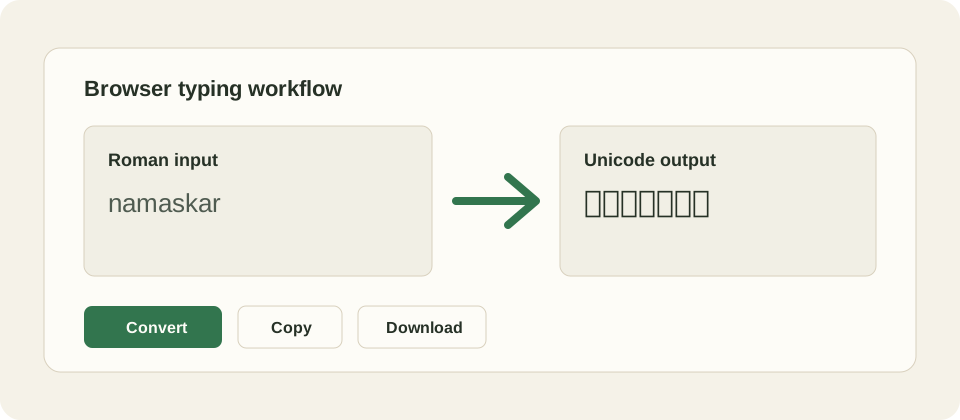
Example media: the workflow is input, open, verify, then copy or download where the page supports it.
Limitations, mistakes, and translation or OCR
Indian Typing Tools is useful for the specific browser task shown above, but it is not a full translation, OCR, grammar, exam, or human review product. Input methods, browser permissions, fonts, keyboard behavior, and user spelling can all affect results. If a result looks wrong, change the input, use the visible controls again, or compare with a trusted source before final use.
Troubleshooting Indian Typing Tools problems
If the output is blank, make sure JavaScript is enabled and press the main action button after entering text. If script text displays as boxes, update the browser or system fonts. If copy fails, select the output manually. If download fails, use copy and paste into a text editor, then save the file locally.
Free cost and privacy notes
This is a free static tool page. There is no login, payment form, database account, or server conversion endpoint in the launched workflow. We keep the controls direct: Convert, Copy, Download, and Clear. Our privacy promise is limited to this static page behavior; external links and future API-backed products have their own rules.
In our launch checks, we used the sample task on desktop and mobile widths, confirmed that the actual tool appears before support content, and checked that the page still works without a heavy frontend framework. That is why the utility can be cached and served cheaply at high traffic levels.
For practical use, treat the output as a working draft until you verify it. Typing speed scores, dictated text, transliterated script, and legacy font output all save time, but each can still contain mistakes from user input, browser behavior, or ambiguous spelling. A final human check is part of the workflow.
We also keep related tools close to the main widget because many users switch tasks in the same session: a typing test after practice, a language typing page after a keyboard page, or Unicode Hindi before Kruti Dev conversion. Internal links are part of the utility, not filler.
References and source material
Research verified for this page includes competitor typing tools, official input-tool documentation, Unicode references, and operating-system input guidance where relevant. These sources support the difference between transliteration and translation, Unicode portability, and the existence of phonetic or keyboard input methods.
You can open browser-only typing tests, Indian language typing pages, a speech typing page, and a Hindi Unicode to Kruti Dev typing bridge. The first screen lists usable tools instead of a marketing introduction.
Are these tools client-side only?
The launched utility pages are designed as static HTML and JavaScript workflows. Typing tests, language typing, virtual keyboards, copy, clear, download, and font bridge actions run in the browser without a custom backend API.
Which language pages are included?
The current site includes Hindi, Tamil, Malayalam, Marathi, Gujarati, Kannada, Bengali, Odia, and Telugu typing pages. Priority launch pages focus on Odia, Kannada, English to Telugu typing, and Marathi typing online.
Is this a translation website?
No. Language typing pages are transliteration tools, not meaning translation tools. They help type a language script from Roman letters. Real translation and OCR are intentionally separate because quality versions usually need API-backed processing.
Does the site require login?
No login is required for the static tool pages. We kept the launch workflow simple: open a page, use the widget, copy or download the result, and move to a related tool when needed.
Can I use these tools on mobile?
Yes. The pages are built with responsive static HTML so the core controls remain available on mobile and desktop. Mobile keyboard behavior can still affect typing speed, clipboard permissions, and download handling.
Why keep the pages static?
Static pages are cheaper to host, easier to cache, faster to load, and simpler to scale for high-volume utility traffic. That matters for typing tools where the main job can happen inside the browser.
Do the pages include copy and download controls?
Tool pages that produce text output include copy and download controls where they make sense. Typing tests can save a result, language typing pages can save output, and the font bridge can save Unicode or Kruti Dev text.
What should I check before using output officially?
Proofread the final text before using it in official, legal, academic, medical, or government contexts. Browser typing tools speed up entry, but they do not replace human review of spelling, grammar, names, or formatting.
How is this different from a large web app?
This launch is intentionally lightweight. It avoids heavy client hydration, databases, accounts, and server rendering for utility pages that do not need them. That keeps the page fast and reduces failure points at scale.